




Custom Production Flash File
Create a Production Flash File
The production file combines Bootloader, DFU configuration block, Application header, and Application. Use the Vision App generator; concatenating raw binaries does not create the required header and CRC.
1. Prepare matching binaries
- Build the Bootloader project for the exact MCU and Hardware folder.
- Build the matching Application in
ReleaseBL. - Confirm that product IDs and versions match
fixture_defines.h. - Confirm that linker addresses match the selected Hardware folder's
hw_defines.h.
2. Open Flash File Generator
The generator is visible only in Test Mode. In the Windows Vision App:
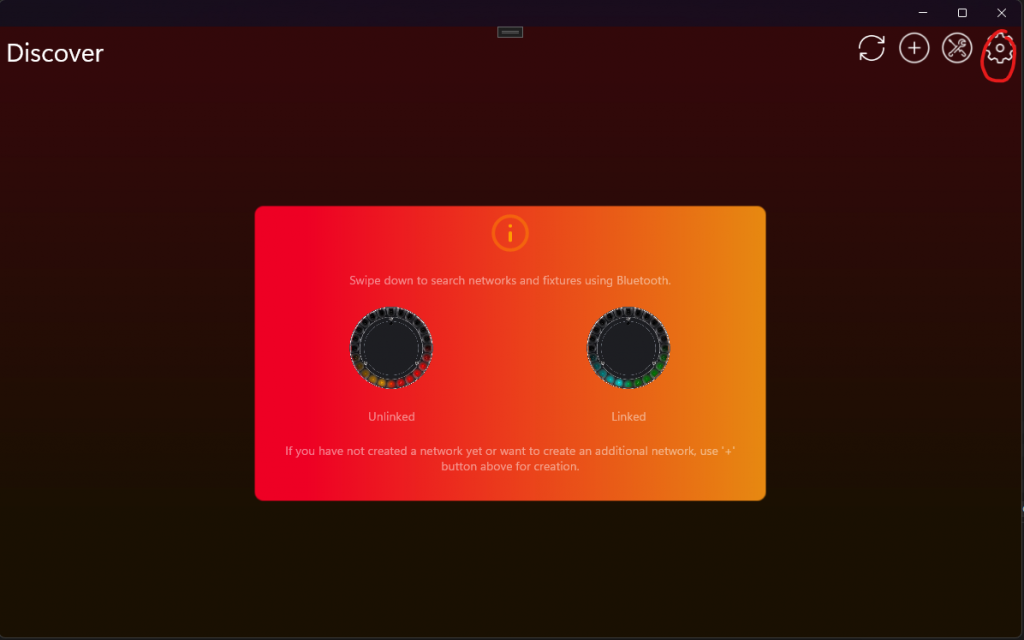
- Open Settings with the gear button and select App Settings.
- Tap the displayed App Software Version label twice.
- Enter PIN
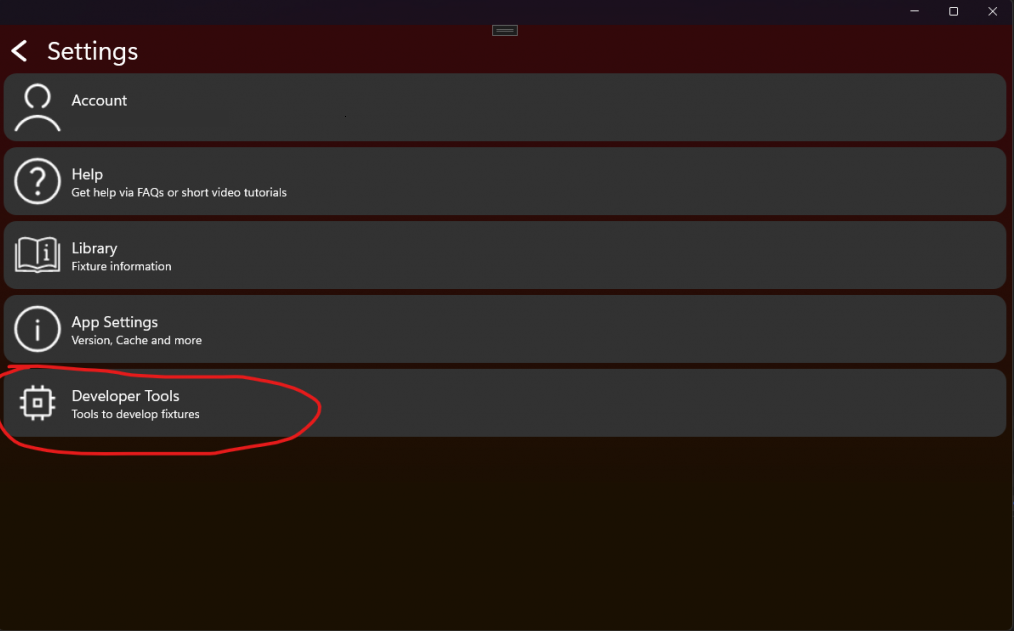
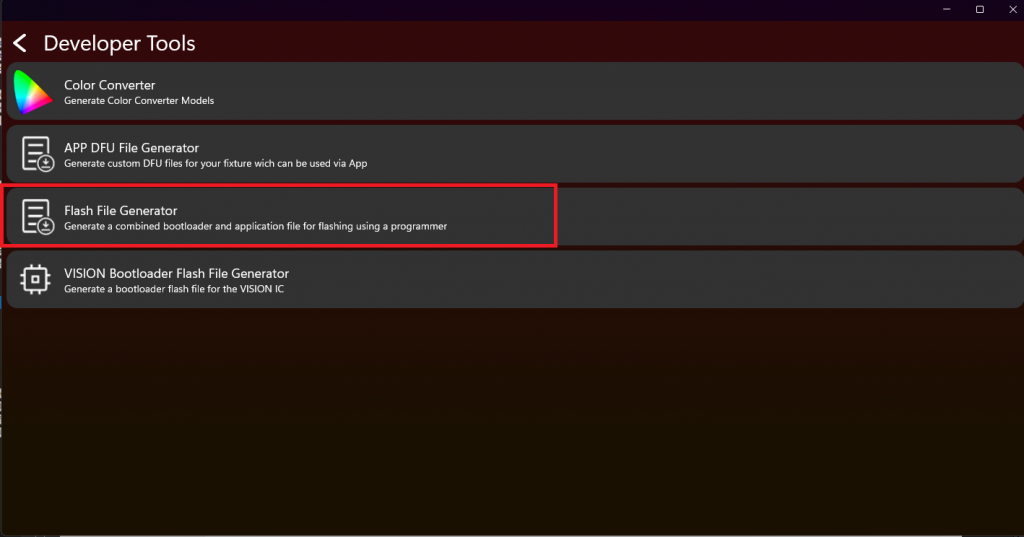
7248. This enables Test Mode and access to unregistered development fixtures. - Return to Settings, open Developer Tools, and select Flash File Generator.
3. Enter files and offsets
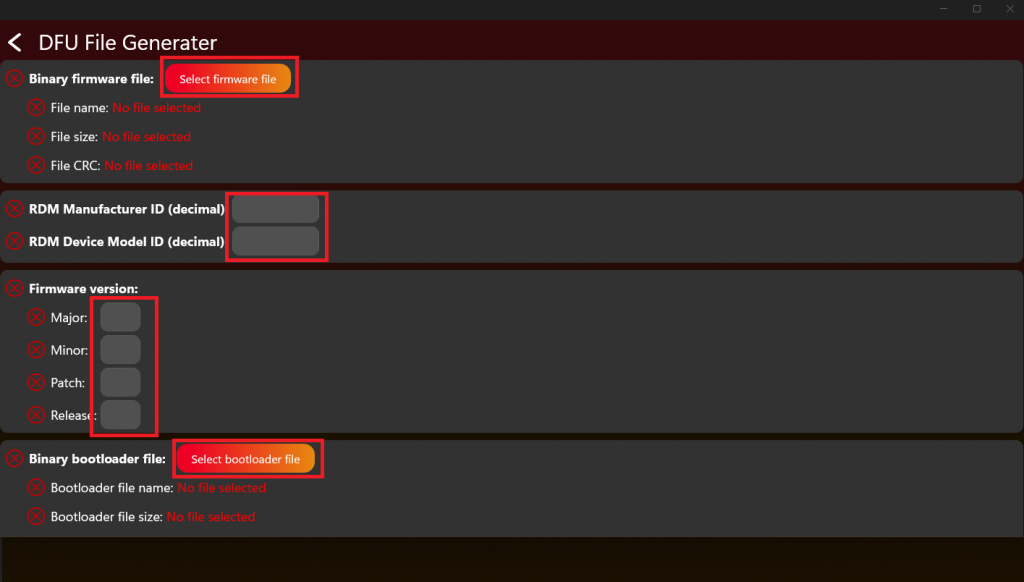
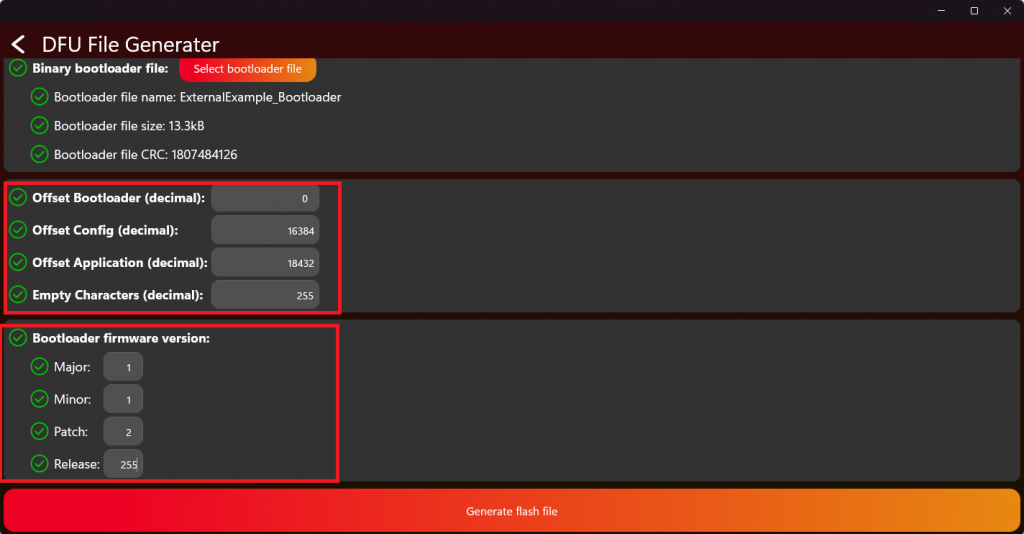
Select the Application and Bootloader binaries, product identity, and both versions. Enter offsets relative to HW_FLASH_BOOTLOADER_ADDRESS, never absolute MCU addresses:
- Bootloader offset:
0 - Configuration offset:
HW_FLASH_CONFIG_ADDRESS - HW_FLASH_BOOTLOADER_ADDRESS - Application offset:
HW_FLASH_APPLICATION_ADDRESS - HW_FLASH_BOOTLOADER_ADDRESS
For the supplied STM32F051 example these decimal offsets are 16384 and 17408. For the supplied AT32F415 example they are 16384 and 18432. These are example-specific values; recalculate them from hw_defines.h for every new Hardware variant.
4. Validate before production
- Generate the merged file and keep the selected Application binary, Bootloader binary, versions, IDs, and offsets with the production record.
- Program one erased test unit using the same production programmer and address settings planned for manufacturing.
- Verify first boot, shared configuration creation, stored serial number, RDM identity, normal Application start, Fixture Is On, and Main Wake Up.
- Power-cycle the unit, confirm that saved data remains valid, and perform one complete DFU update with a matching package.
- Confirm that a package with a different Manufacturer ID or Device Model ID is rejected without damaging the installed Application.
- Only after these checks pass, release the merged file to production.
The serial number is stored in the shared DFU configuration block so both Bootloader and Application can read it. Do not concatenate raw binaries manually: the generated Application header, image length, CRC, and configuration placement are required for safe startup and update validation.