To create a company on the Development Server, please follow these steps:
- Access Development Server
- Go to server.kk-t.eu
Access Development Server
- Go to server.kk-t.eu
- Login
- If you already have an account, use your existing credentials to log in. These are the same credentials you use for the Vision Control App.
- If you don’t have an account, start by downloading the Vision Control App from one of the App Store:
Go to Windows Store
Go to Google Play Store
Go to Apple App Store
then create an account within the app, and use the same credentials to log in at server.kk-t.eu.
- Access the Demo Section
- Once logged in, navigate to „MY COMPANY (DEMO)“. Here, you will find several demo pages including „Dashboard“, „Company“, „My Fixtures“, and „My Licenses“. These pages offer a preview of what you’ll be able to manage for your own company.
- Create company
- Select any of the demo pages and then follow the link „Demo! Create Company here“ to start setting up your company.
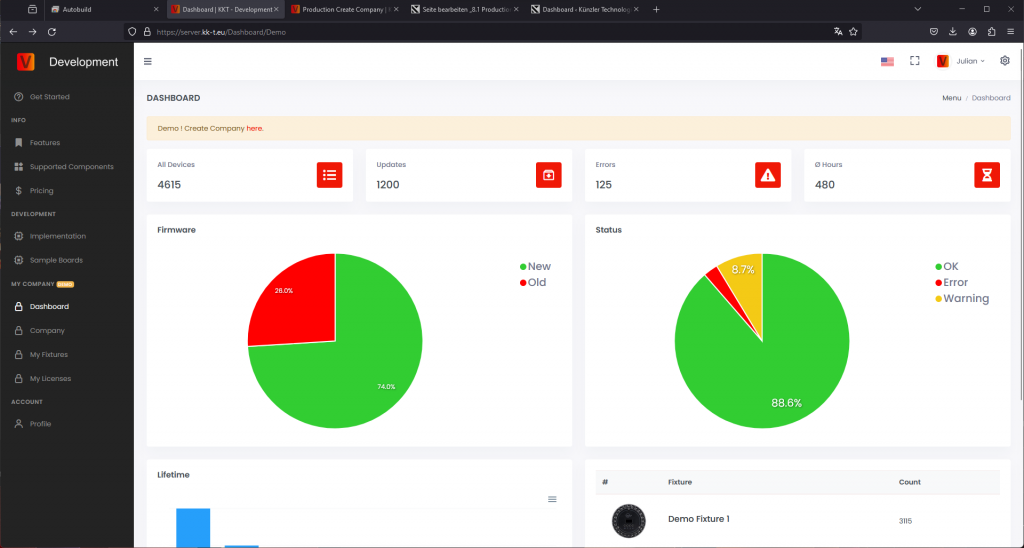
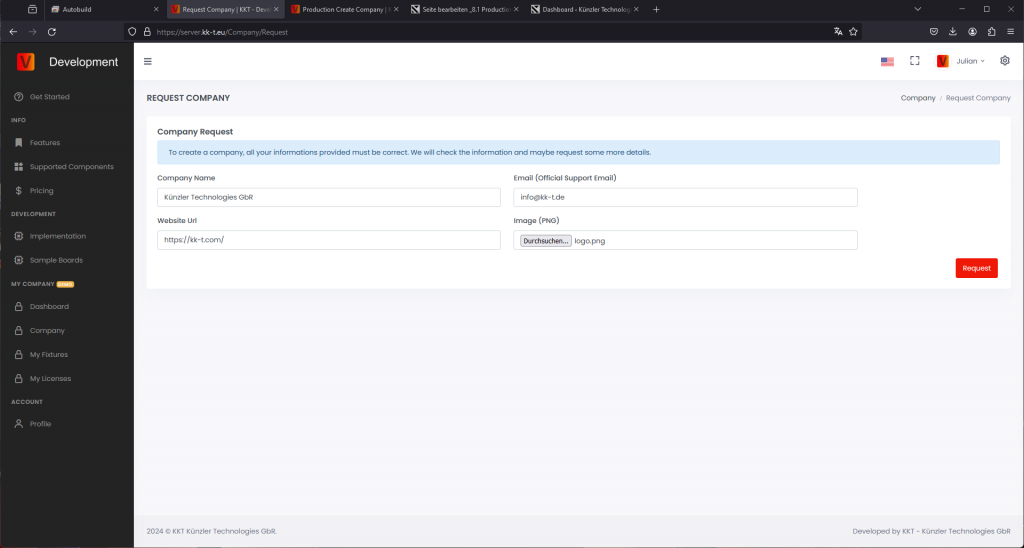
- You will be forwarded to the company request page. Fill in all data carefully and ensure your email is a valid company email. We will check and verify you. If information is missing or we have doubts regarding the authenticity of the account or company, we will contact you via email. Be patient, this process can take 2-3 business days.
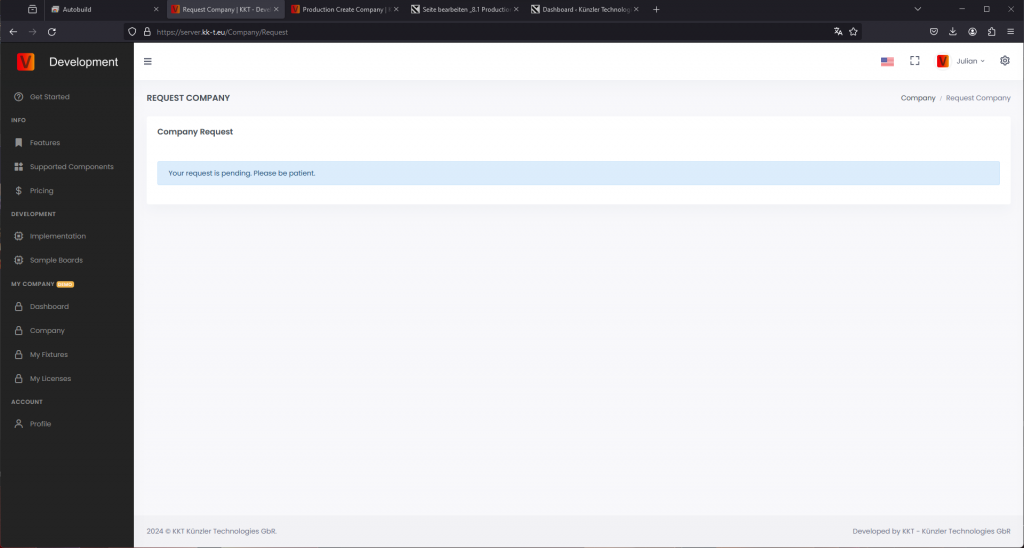
- If you are successfully verified, you will receive an email confirming your verification. Until then, your request will remain pending.
- Need to manage multiple companies with one account? Contact us at info@vision-cs.de or reach out to your contact person at Vision Control.
- Select any of the demo pages and then follow the link „Demo! Create Company here“ to start setting up your company.