




Custom Production Flash File
创建生产烧录文件
生产文件组合 Bootloader、DFU 配置块、Application Header 和 Application。请使用 Vision App 生成器;简单拼接原始二进制文件不会生成所需 Header 和 CRC。
1. 准备匹配的二进制文件
- 为准确的 MCU 和 Hardware 文件夹构建 Bootloader。
- 使用
ReleaseBL构建匹配的 Application。 - 确认产品 ID 和版本与
fixture_defines.h一致。 - 确认链接地址与所选 Hardware 文件夹的
hw_defines.h一致。
2. 打开 Flash File Generator
生成器只在 Test Mode 中显示。请在 Windows Vision App 中:
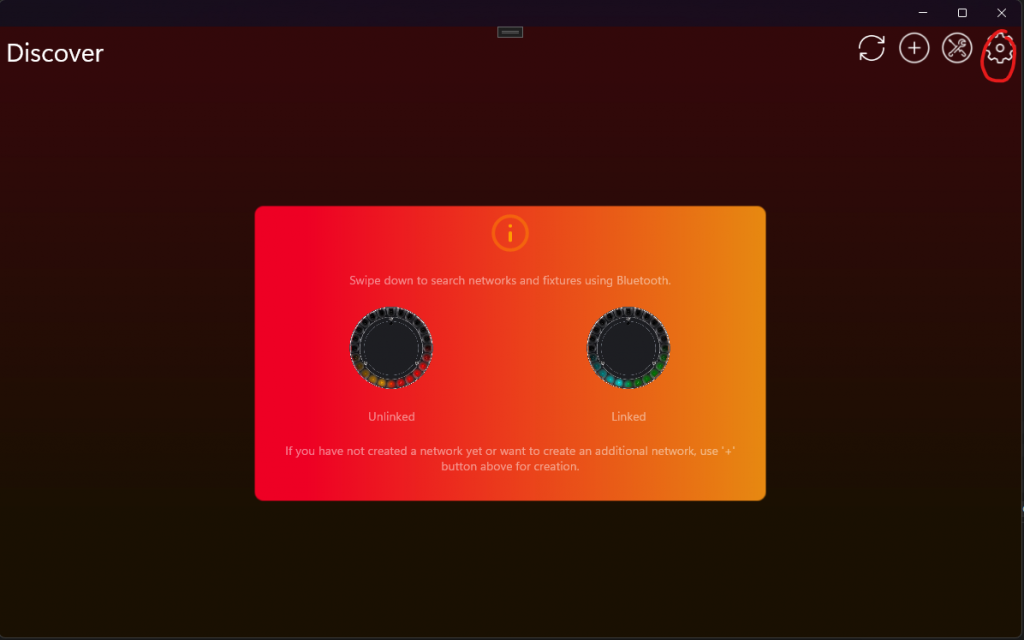
- 点击齿轮按钮打开 Settings,然后选择 App Settings。
- 连续点击显示的 App Software Version 标签两次。
- 输入 PIN
7248。这样会启用 Test Mode,并允许访问未注册的开发灯具。 - 返回 Settings,打开 Developer Tools,然后选择 Flash File Generator。
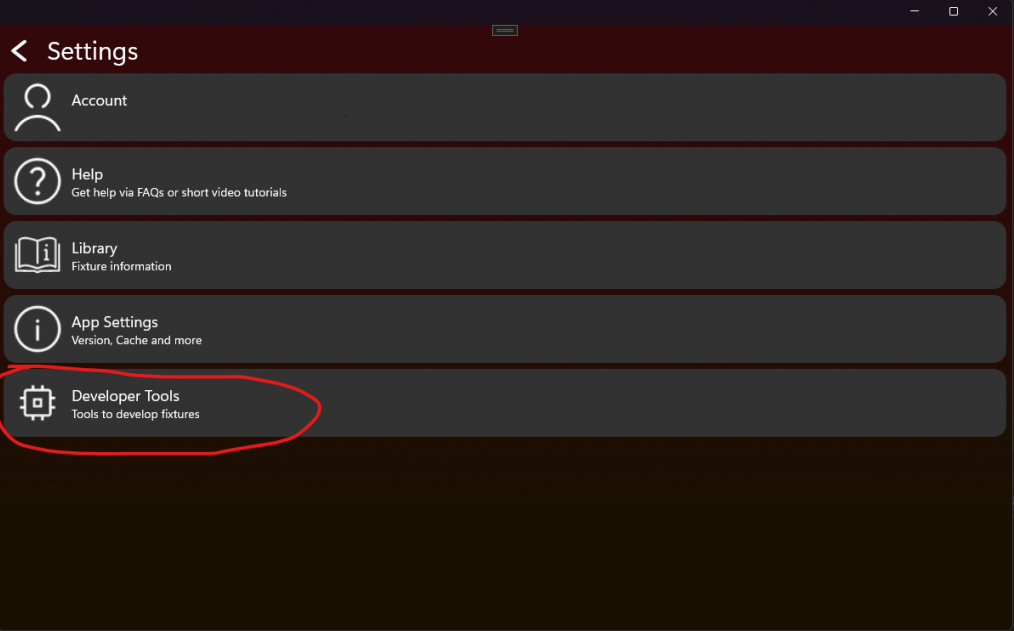
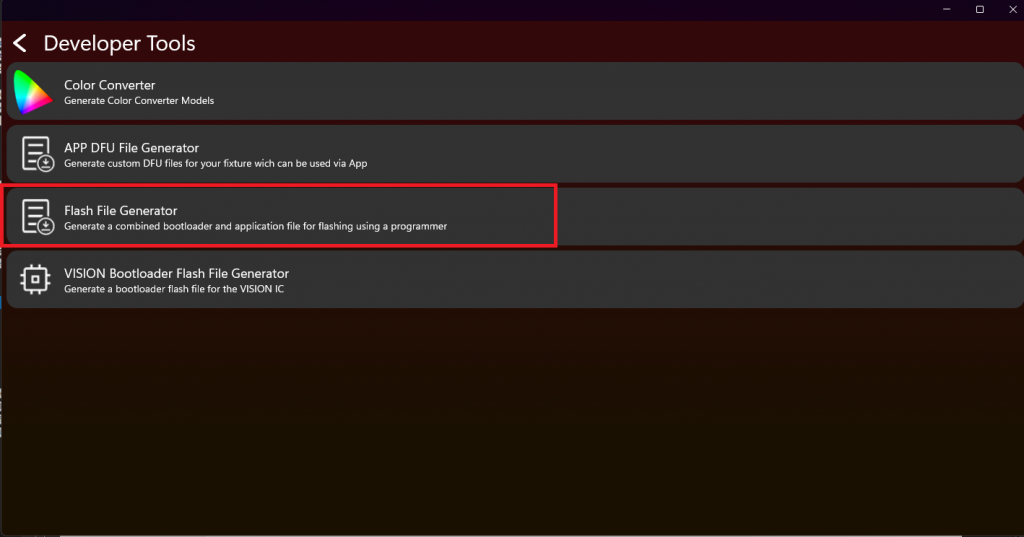
3. 输入文件和偏移
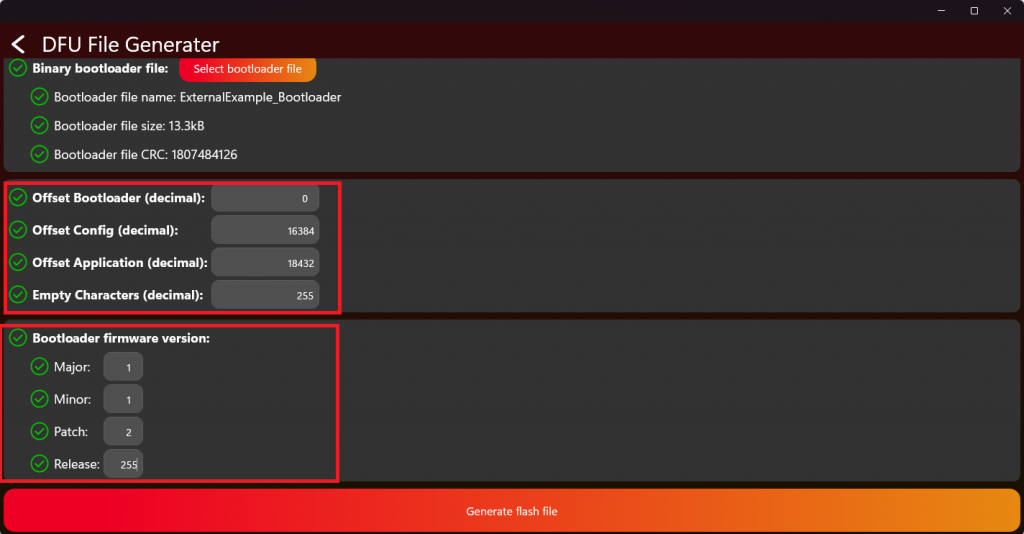
选择 Application 和 Bootloader 二进制文件、产品标识和两个版本。偏移必须相对于 HW_FLASH_BOOTLOADER_ADDRESS,不能填写 MCU 绝对地址:
- Bootloader offset:
0 - Configuration offset:
HW_FLASH_CONFIG_ADDRESS - HW_FLASH_BOOTLOADER_ADDRESS - Application offset:
HW_FLASH_APPLICATION_ADDRESS - HW_FLASH_BOOTLOADER_ADDRESS
随附 STM32F051 示例的十进制偏移为 16384 和 17408。随附 AT32F415 示例为 16384 和 18432。这些值只适用于对应示例;每个新 Hardware 变体都必须根据 hw_defines.h 重新计算。
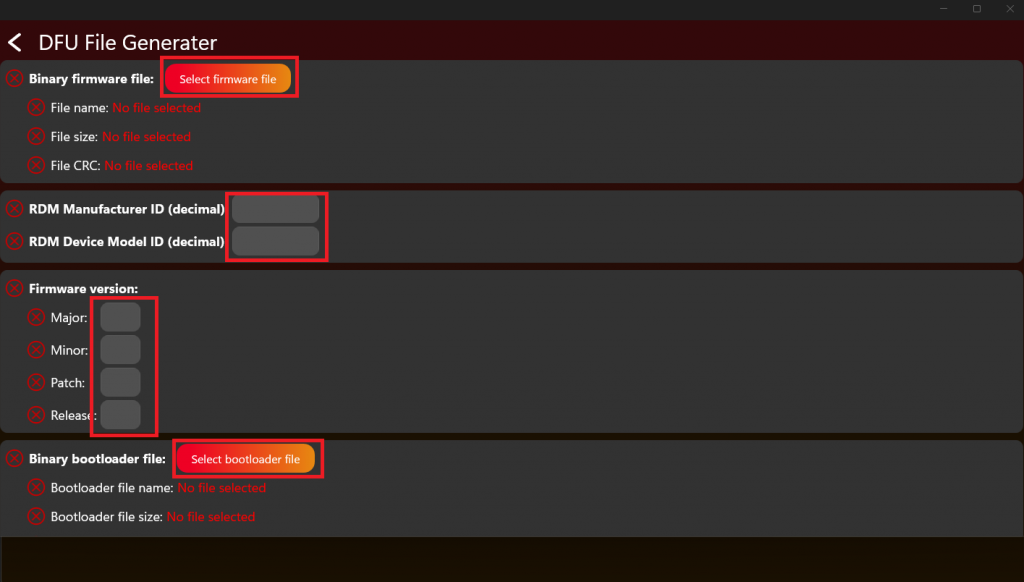
4. 生产前验证
- 生成合并文件,并在量产记录中保存所选 Application binary、Bootloader binary、版本、ID 和偏移。
- 使用计划量产的同一烧录器和地址设置,对一台已擦除测试设备烧录。
- 检查首次启动、共享配置创建、保存的序列号、RDM identity、正常 Application 启动、Fixture Is On 和 Main Wake Up。
- 重新上电,确认保存数据仍然有效,并使用匹配升级包完成一次完整 DFU 升级。
- 确认 Manufacturer ID 或 Device Model ID 不同的升级包会被拒绝,并且不会损坏已安装 Application。
- 全部检查通过后,才把合并文件发布给量产。
序列号保存在共享 DFU 配置块中,因此 Bootloader 和 Application 都可以读取。不要手动拼接原始 binaries:安全启动和升级检查需要生成的 Application Header、镜像长度、CRC 和正确配置位置。