




Production License Vision Modules
本页说明 production licensing 步骤。Licensing 会为每个实际 fixture 激活一个 production license。请在 fixture 已完成 implementation、verification、Vision App Library 注册,并已写入正确 Vision data 后执行。
检查 license availability
打开 https://server.kk-t.eu/,登录后打开你的 company,并进入 My Licenses。
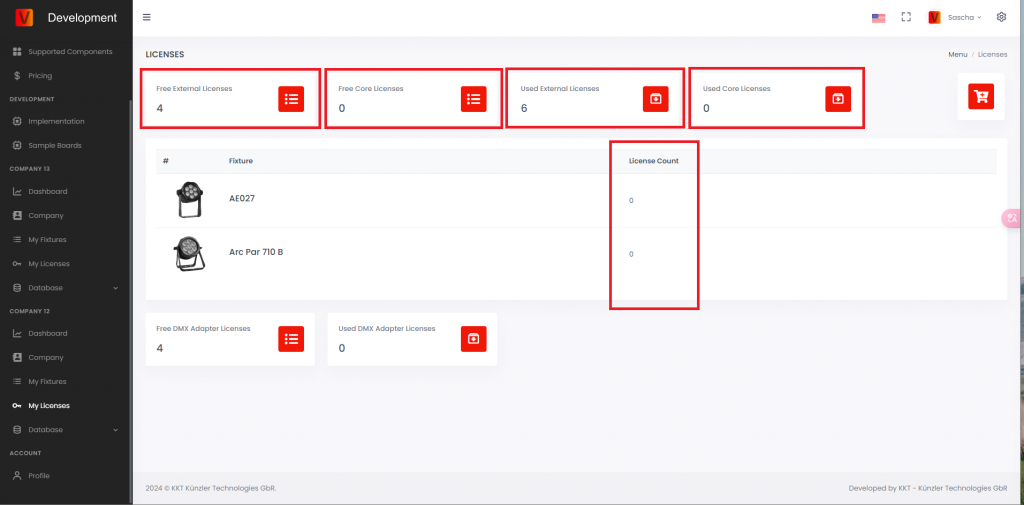
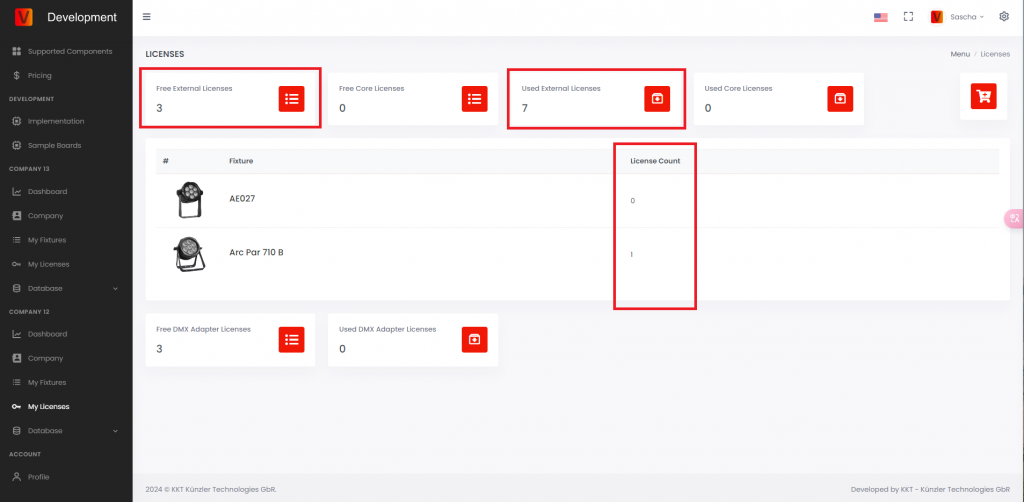
- Free External Licenses: 已购买但尚未使用的 External Vision licenses。License 新的 External Vision fixture 前,该值必须大于 0。
- Free Core Licenses: 已购买但尚未使用的 Core licenses。
- Used External Licenses: 已经被 fixtures 激活使用的 External Vision licenses。
- Used Core Licenses: 已经被 fixtures 激活使用的 Core licenses。
- License Count: 某个 fixture type 已使用的 license 数量。
在 App 中找到未 licensed fixtures
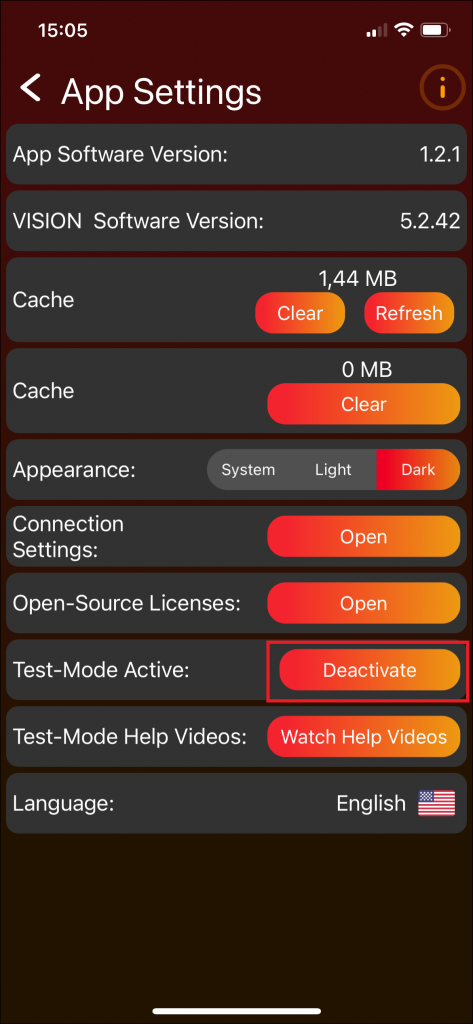
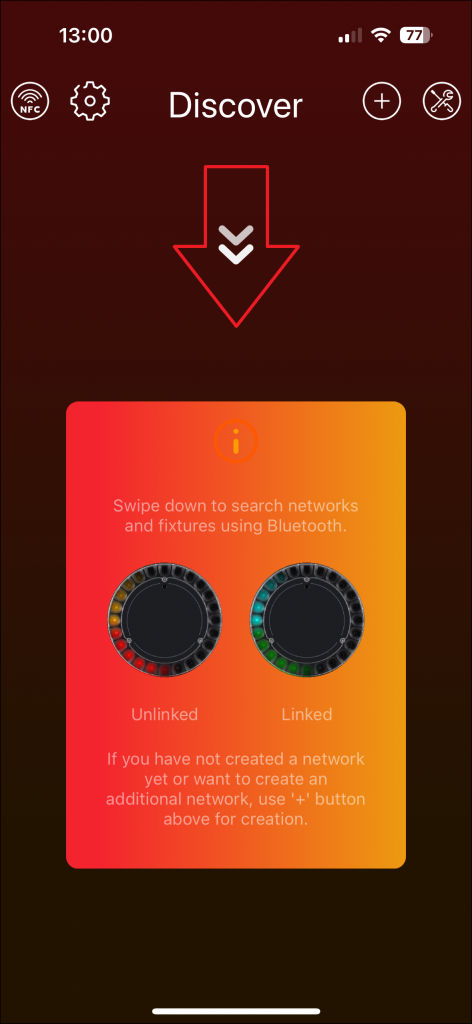
打开 Vision Control App 并 scan fixtures。未 licensed 的 production fixture 可能会显示 warning。该 warning 表示 fixture 已被发现,但在 license 激活前不能正常使用。
为 fixtures 授权
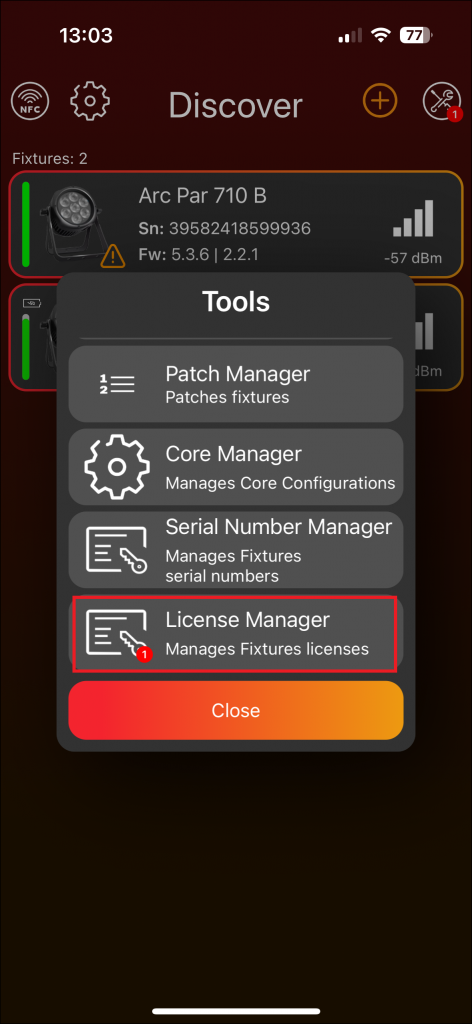
- 打开 Vision Control App 中的 tools area。
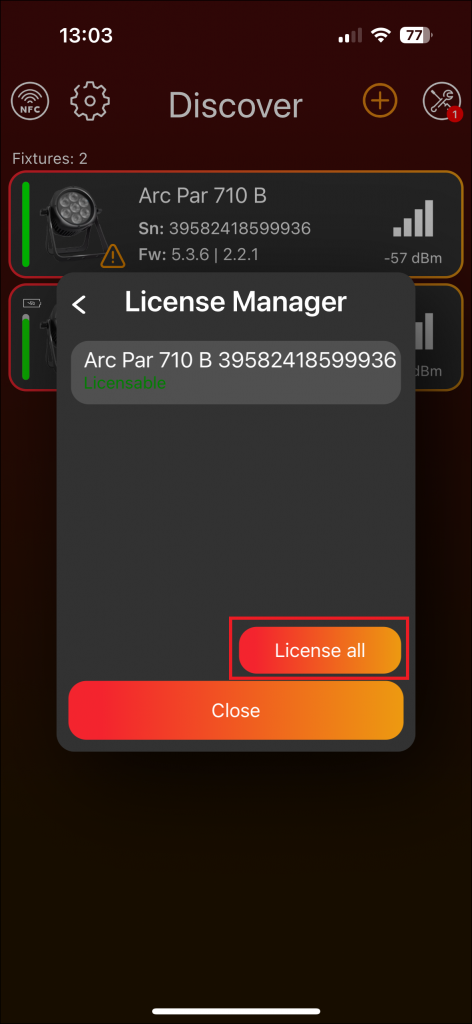
- 打开 License Manager。Red badge 可能表示有 fixtures 等待 licensing。
- 确认 fixture 显示为 licensable。
- 如果列表中的 fixtures 都应被 licensed,使用 License all。
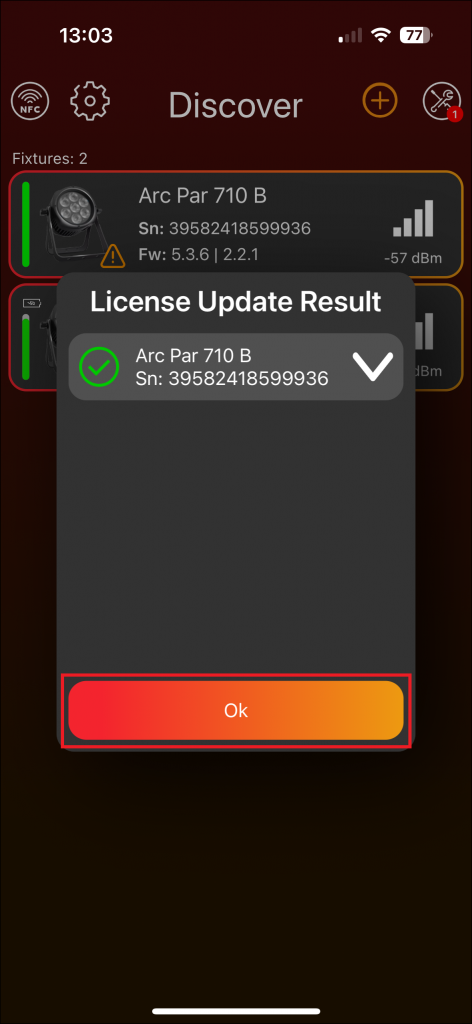
- 等待 App 确认 licensing result。
验证 license
Licensing 后,fixture 不应再显示 unlicensed warning,并且可以被 Vision Control App 控制。在 Vision Web Service 上,free license count 会减少,used license count 会增加。
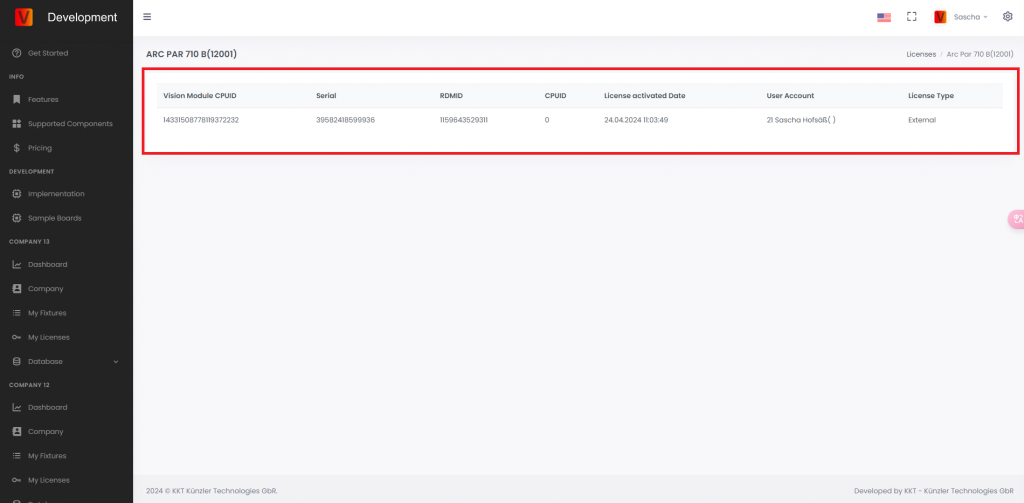
打开 fixture license details,可以查看已 licensed fixtures 的 serial number、RDM ID 和相关信息。