



OEM 品牌化
本页说明推荐的 OEM 和品牌 fixture workflow。在 Vision Web Service 上创建最终 fixture entry 前,请先确认这个 workflow。
RDM Manufacturer ID 和 RDM Device Model ID 一起用于识别准确的 fixture type。Fixture release 后,这两个值不能再修改。如果修改,现场已经交付的 fixtures 可能无法再被识别。Description、images、website URLs、resources 和 names 后续仍可更新。
先选择正确的 fixture identity
创建 fixture entry 前,请先决定最终的 fixture identity 属于谁。Fixture identity 不只是 App 中显示的品牌名称,而是 RDM Manufacturer ID 和 RDM Device Model ID 的组合。App 使用这个组合来找到正确的 app data。
| 情况 | 推荐做法 | 原因 |
| 产品可能销售给多个 customer。 | 先使用自己的 company name 和自己的 RDM identity 创建 supplier sample fixture。 | 在最终 customer brand 尚未确定前,同一个已测试 sample 仍可继续使用。 |
| Customer 还没有提供最终 RDM Manufacturer ID 或 RDM Device Model ID。 | 先创建 supplier sample fixture。 | Released fixture identity 必须保持稳定。不要猜测,也不要临时使用 customer IDs。 |
| Customer 批准 sample 并订购 branded product。 | 使用 customer 的 branding 和最终 RDM identity 创建第二个独立 fixture entry,然后再次申请 release。 | Branded product 会获得自己稳定的 App identity,同时不会修改已经 release 的 supplier sample。 |
| 产品只为一个 customer 生产,并且 customer 一开始就提供最终 RDM information。 | 可以直接创建 branded fixture。 | 最终 identity 已经确定,但 release 后仍然不能修改。 |
推荐 workflow
1. Development sample
在自己的 company 中创建第一个 sample fixture,不使用 customer-specific branding,并使用自己的命名、自己的 RDM Manufacturer ID 和自己的 RDM Device Model ID。这个 fixture 用于内部开发、演示和 customer samples。它不需要在 App 中公开显示。
RDM Manufacturer: 你公司的 Manufacturer ID
RDM Device Model ID: 该 fixture 专用的 Device Model ID
以 Vision Core Module 为例:

Sample 完成并通过验证后,在 fixture page 上申请 release。在 release 之前,该 fixture 保持 internal 状态,只有授权账号可以访问。
2. Customer sample
Supplier sample 完成测试并 release 后,将其发给 customer 测试。如果 customer 需要 branded fixture,则继续创建 branded production fixture。如果不需要 branding,可以直接进入 production。
3. Branded production fixture
对于 branded product,需要根据 customer 要求调整 firmware 和 product data。在 server 上使用品牌方最终的 RDM information 创建第二个独立 fixture entry,为这个 branded fixture 申请新的 release,然后再开始 branded production。
RDM Manufacturer: 品牌方的 Manufacturer ID
RDM Device Model ID: 品牌方该 fixture 专用的 Device Model ID
请将 supplier sample 和 branded production fixture 分开管理。不要用 customer-specific RDM identity 覆盖已经 release 的 supplier sample。
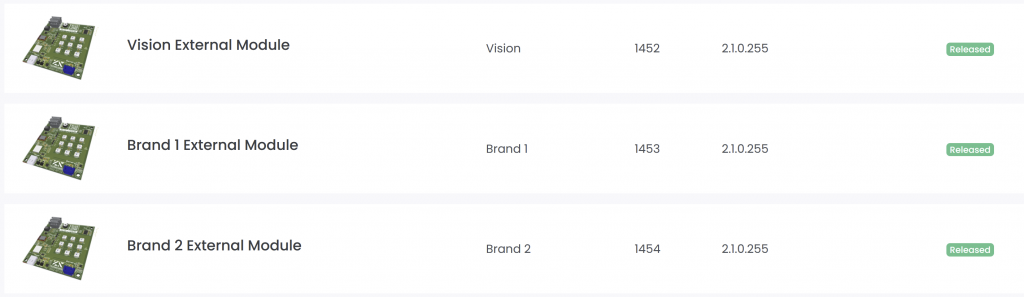
Branded fixture entry 准备好后,可以将 fixture access 分享给品牌方。品牌方可根据约定维护 product data、resources 或 release information。
品牌灯具的 Bootloader
每个品牌版本的 fixture 可以使用单独的 bootloader。但是,如果供应商品牌产品和所有客户品牌版本需要共用同一个 bootloader,则必须将签名身份和 App 中显示的产品身份分开处理。
在以下示例中,同一个产品以 Chinese Supplier Brand 以及两个不同的 Customer Brand 销售。
Bootloader 要求
| 要求 | Supplier Brand 供应商品牌 | Customer 1 Brand 客户 1 品牌 | Customer 2 Brand 客户 2 品牌 |
| Bootloader 必须接受使用以下身份签名的 firmware | Supplier RDM Manufacturer ID + Supplier RDM Device Model ID | ||
| Bootloader 必须从 application firmware 中读取并向 App 显示 | Supplier RDM Manufacturer ID + Supplier RDM Device Model ID | Customer 1 RDM Manufacturer ID + Customer 1 RDM Device Model ID | Customer 2 RDM Manufacturer ID + Customer 2 RDM Device Model ID |
| 如果 application firmware 不可用或无效,bootloader 必须向 App 显示 | Supplier RDM Manufacturer ID + Supplier RDM Device Model ID | ||
Application firmware 要求
| 要求 | Supplier Brand 供应商品牌 | Customer 1 Brand 客户 1 品牌 | Customer 2 Brand 客户 2 品牌 |
| Application firmware update file 必须使用以下身份签名 | Supplier RDM Manufacturer ID + Supplier RDM Device Model ID | ||
| Application firmware 包含并向 App 显示 | Supplier RDM Manufacturer ID + Supplier RDM Device Model ID | Customer 1 RDM Manufacturer ID + Customer 1 RDM Device Model ID | Customer 2 RDM Manufacturer ID + Customer 2 RDM Device Model ID |
总结:签名身份始终使用 Supplier Identity。当有效的 application firmware 正在运行时,向 App 显示的是对应品牌的身份。如果 application firmware 不可用或无效,则 bootloader 向 App 显示 Supplier Identity。
这样,一个通用 bootloader 就可以用于所有品牌版本。同时,只要 bootloader 当前有或之前曾经有过有效的 application firmware,它仍然可以使用正确的客户品牌身份来识别该产品。