




Test DMX
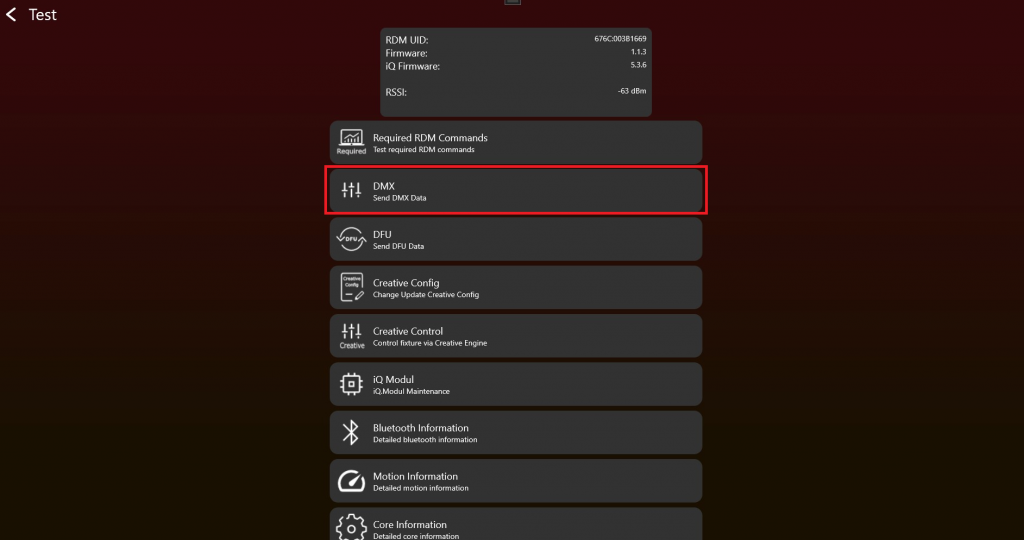
- After enabling the Test Mode and connecting to the fixture it should look like this. To test DMX click on „DMX“:
2. Choose the "Vision Control Behavior" and set "DMX Values" via the sliders. Test DMX Control with different "DMX start addresses" and "DMX Personalities" (sometimes also called "DMX Modes") to make sure everything works as expected. The "Change Personality" function changes the temporary DMX Personality used for the current Vision DMX stream.
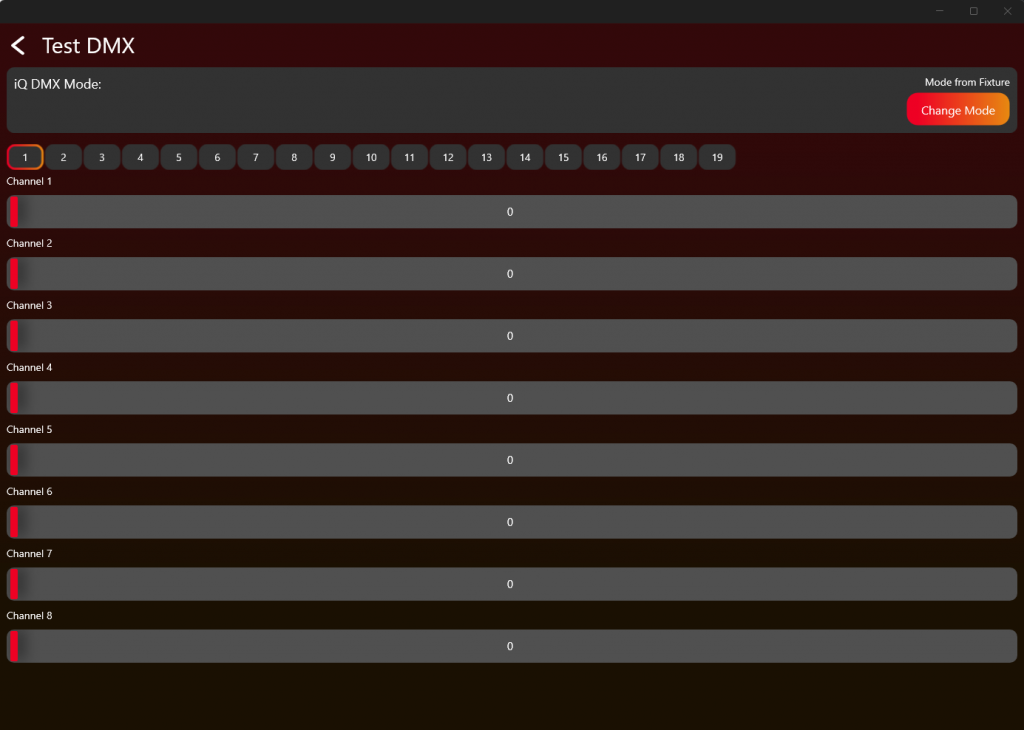
Test the DMX Personality 0, 1-x and 255 as described in the Table and the DMX Chapter.
| Vision Control Behavior | Control behavior |
|---|---|
| 0 | DMX Control using the fixture's saved DMX settings |
| 1 | Legacy / Vision DMX Adapter only: DMX Control using DMX Personality 1 for this frame only |
| 2 | Legacy / Vision DMX Adapter only: DMX Control using DMX Personality 2 for this frame only |
| ... | ... |
| 255 | App Control using fixed App Control settings. Read DMX from the beginning of the stream independent from DMX start address. |